
· Updated · Matt Ballek · 5 min read
Supabase, Mattsplained
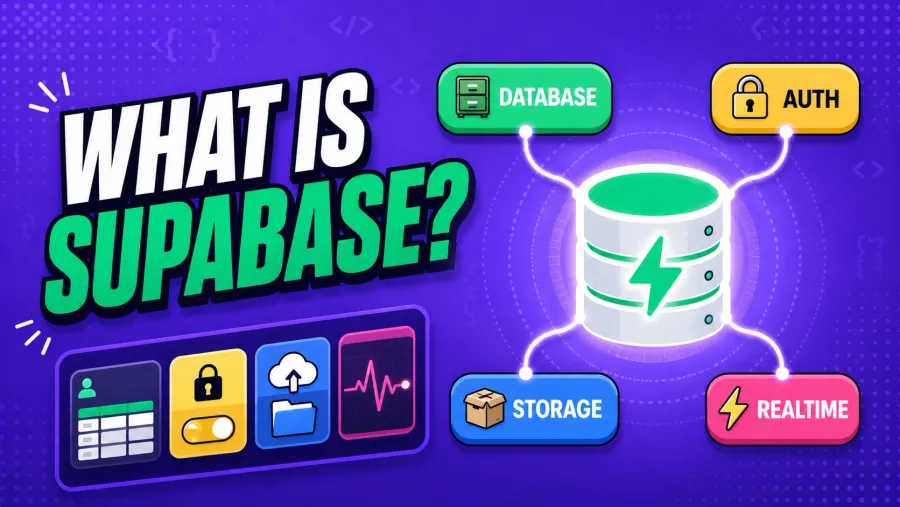
If you’re vibe coding, Supabase is that friend who shows up with a pickup truck, a toolbox, and a spreadsheet of backup plans.
It gives you a real database (Postgres), plus the stuff you usually bolt on later: Auth, Storage, Realtime, and Edge Functions.
What is Supabase?
Supabase is a Postgres development platform that bundles the most common “backend chores” into one place: database, authentication, instant APIs, storage, realtime subscriptions, and server-side functions.
You’ll often hear it described as an open-source Firebase alternative, but with SQL and Postgres at the center, and the option to self-host if you want to go full mad scientist later.
Why Supabase matters for vibe coders
1) You get a real database (not vibes in a JSON file)
Supabase projects are Postgres under the hood. That means:
- SQL
- relations (foreign keys)
- constraints
- indexes
- migrations when you grow up (optional)
And yes, this makes your future self less angry. 😌
2) Auth is “batteries included”
Email/password, magic links, OAuth providers, user sessions… it’s all there, and it plugs into your database permissions story (see: RLS below).
3) Security can be actually good without becoming a wizard
Supabase leans heavily on Postgres Row Level Security (RLS) so your data rules live near your data. That’s a fancy way of saying:
“Only let users see and change their own stuff”
without you writing 47 custom endpoints.
4) It plays nice with JavaScript
The standard JS client (supabase-js) is made to be used in browser + server environments, and it supports database queries, auth, storage, realtime, and edge functions.
The mental model: Supabase is 5 products wearing one trench coat
- Database (Postgres)
- Auth (users + sessions)
- APIs (auto-generated REST + realtime)
- Storage (file uploads, images, etc.)
- Edge Functions (server-side TypeScript at the edge)
You can use just one… but the magic is when they work together.
How I use Supabase (the practical path)
Here’s the “I want results today” setup.
Step 1: Create a Supabase project
- Make a project in the Supabase dashboard
- Grab your Project URL and Anon Key
- Keep those handy like you’re holding the keys to the Batcave
Step 2: Install the client library
npm install @supabase/supabase-jsStep 3: Add env vars
Example:
PUBLIC_SUPABASE_URL="https://YOURPROJECT.supabase.co"
PUBLIC_SUPABASE_ANON_KEY="YOUR_ANON_KEY"
Vibe coder warning:
- The anon key is meant for the client.
- Your service role key is not. Never ship that to the browser. (That key is basically “God Mode”.)
Step 4: Create a Supabase client
// src/lib/supabaseClient.ts
import { createClient } from '@supabase/supabase-js';

export const supabase = createClient(import.meta.env.PUBLIC_SUPABASE_URL, import.meta.env.PUBLIC_SUPABASE_ANON_KEY);
Now you can query tables, sign in users, upload files, etc.
The most common thing you’ll do: read and write data
Let’s say you have a table called todos.
Read rows
const { data, error } = await supabase.from('todos').select('*').order('created_at', { ascending: false });

if (error) console.error(error);
console.log(data);
Insert a row
const { data, error } = await supabase
  .from('todos')
  .insert([{ title: 'Ship the thing', is_done: false }])
  .select()
  .single();

if (error) console.error(error);
console.log(data);
Auth: the “make it a real app” switch
Example: GitHub OAuth sign-in
const { error } = await supabase.auth.signInWithOAuth({
  provider: 'github',
  options: {
    redirectTo: 'https://yourdomain.com/auth/callback',
  },
});

if (error) console.error(error);
Once users can log in, you can start doing the good stuff:
- store data “owned” by a user
- lock it down with RLS
- build shared features safely
The part that confuses everyone once (RLS)
Supabase will happily let you create tables and start querying… but Row Level Security is where the app becomes safe.
Typical vibe-coded table pattern:
user_idcolumn on the row- policies like:
- users can select rows where
user_id = auth.uid() - users can insert rows where
user_id = auth.uid()
- users can select rows where
Very rough sketch:
-- example idea, not a copy-paste silver bullet
alter table todos enable row level security;

create policy "Users can read their own todos"
on todos for select
using (user_id = auth.uid());

create policy "Users can create their own todos"
on todos for insert
with check (user_id = auth.uid());
If your app “works in the dashboard but not in the browser,” it’s usually RLS saying:
“Nice try though.”
Storage: when your app needs photos, thumbnails, or cursed memes
Supabase Storage is for files. Uploads, downloads, public buckets, private buckets, the works.
Upload example:
const filePath = `avatars/${crypto.randomUUID()}.png`;

const { data, error } = await supabase.storage.from('public-assets').upload(filePath, file, { upsert: false });

if (error) console.error(error);
console.log(data);
Local development: run Supabase on your machine
If you want the full “real dev” experience without juggling 12 cloud tabs, Supabase has a CLI that can run the stack locally (with Docker).
The basic flow is:
supabase init
supabase start
That gives you local versions of Postgres, Auth, Storage, etc., so you can build and test without poking production in the eye.
When I reach for Supabase (and when I don’t)
I use Supabase when:
- I want a real database quickly
- I need Auth without hand-rolling sessions
- I want to ship an MVP and still have a growth path
- I’m building something that smells like a product, not a weekend doodle
Supabase can also keep the early bill simpler by covering several backend jobs in one place. If you are budgeting the whole stack, my guide to the real monthly cost of vibe coding in 2026 shows where databases, hosting, AI subscriptions, and usage charges tend to appear.
I might skip Supabase when:
- It’s a totally static site with no user data
- I only need a tiny key-value store
- I’m building a one-off script and a database is overkill
Vibe coder checklist: “Did I Supabase correctly?”
- Tables created (with
user_idwhere needed) - RLS enabled on user-owned tables
- Policies added for select/insert/update/delete
- Anon key used in the browser
- Service role key only used server-side (if at all)
- Env vars set for local + production