· Matt Ballek · 8 min read
Markdown Formatting for Beginners: The Copy-Paste Guide
A friendly Markdown cheat sheet with copyable examples for headings, lists, links, images, tables, quotes, checklists, and fenced code blocks.
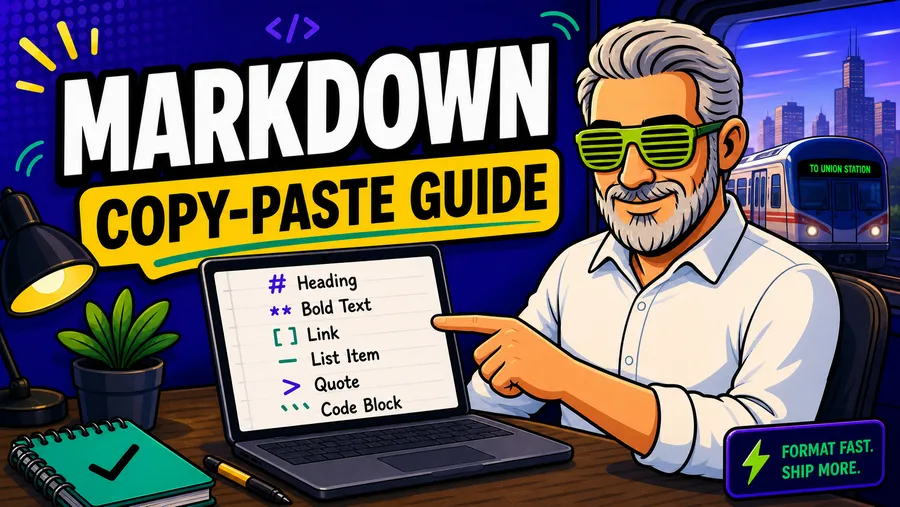
Markdown is plain text with tiny formatting shortcuts.
That is the whole trick.
You write normal words, sprinkle in a few symbols like #, -, **, and [](), and your text can turn into clean headings, lists, links, quotes, tables, and neatly formatted blocks.
It is useful for notes, docs, blog drafts, project plans, readme files, AI prompts, checklists, and any situation where you want text that stays readable even before it gets prettied up.
Markdown is also the gateway drug to code. It gives you the feel of writing structured instructions without asking you to become a wizard on day one.
Bookmark this one. Steal the blocks. Paste freely.
Quick Navigation
- The 80/20 Markdown cheat sheet
- Headings
- Bold, italic, and strikethrough
- Lists
- Checklists
- Links
- Images
- Quotes
- Dividers
- Inline code-style text
- Fenced code blocks
- Tables
- A complete copy-paste note template
- Common Markdown mistakes
The 80/20 Markdown Cheat Sheet
If you only learn this section, you will be useful with Markdown in about five minutes.
Markdown:
# Big Page Title

## Main Section

### Smaller Section

This is a normal paragraph.

This is **bold**.

This is *italic*.

- Bullet item
- Another bullet item
- One more bullet item

1. First step
2. Second step
3. Third step

[This is a link](https://example.com)

> This is a quote or callout.

---
Result: this turns into a page title, section headings, emphasized text, lists, a link, a quote, and a divider.
That tiny set of moves covers most everyday Markdown.
Headings
Headings use # symbols. One # is the biggest heading. More # symbols make smaller headings.
Markdown:
# Page Title

## Main Section

### Subsection

#### Tiny Section
Use headings like an outline:
#for the page title##for major sections###for subsections inside those sections
You usually only need one # per page.
Bold, Italic, and Strikethrough
Use these when you want emphasis without turning the page into a ransom note.
Markdown:
This is **bold** text.

This is *italic* text.

This is ***bold and italic*** text.

This is ~~crossed out~~ text.
Result:
This is bold text.
This is italic text.
This is bold and italic text.
This is crossed out text.
Lists
Lists are where Markdown starts feeling unfairly convenient.
Bullet Lists
Use a hyphen and a space.
Markdown:
- Write the draft
- Clean up the messy parts
- Add links
- Publish
Result:
- Write the draft
- Clean up the messy parts
- Add links
- Publish
Numbered Lists
Use numbers when the order matters.
Markdown:
1. Open a blank note
2. Write the rough version
3. Add headings
4. Fix the confusing parts
5. Share it
Result:
- Open a blank note
- Write the rough version
- Add headings
- Fix the confusing parts
- Share it
Most Markdown tools will keep the numbering correct even if every line starts with 1..
Markdown:
1. First thing
1. Second thing
1. Third thing
Result:
- First thing
- Second thing
- Third thing
That is handy when you move steps around.
Checklists
Checklists are perfect for plans, launch lists, packing lists, and “please do not forget the obvious thing” lists.
Markdown:
- [ ] Write the intro
- [ ] Add examples
- [ ] Check the links
- [ ] Share with one person
- [x] Make coffee
Result:
- Write the intro
- Add examples
- Check the links
- Share with one person
- Make coffee
The empty boxes are unfinished. The x means done.
Links
A Markdown link has two parts:
- the words people see
- the URL it opens
Markdown:
[Readable link text](https://example.com)Result:
Real-life example:
Use descriptive link text when you can. “Read the Markdown Guide” is more helpful than “click here,” and your future self deserves helpful.
Images
Images look like links with an exclamation point in front.
Markdown:
The alt text matters. It helps people using screen readers, and it gives the image useful context when the image does not load.
Real-life version: if the image URL is valid, the browser shows the image and uses the alt text for accessibility.
Better Markdown:
Less helpful Markdown:
Quotes
 use > at the start of the line.
Markdown:
> Markdown is plain text with manners.Result:
Markdown is plain text with manners.
You can also quote multiple lines:
Markdown:
> This is the first line of the quote.
> This is the second line of the quote.
> This is the third line of the quote.
Result:
This is the first line of the quote. This is the second line of the quote. This is the third line of the quote.
Quotes are useful for:
- pull quotes
- notes from someone else
- little callout moments
- saving a sentence you want to remember
Dividers
Use three hyphens to create a horizontal divider.
Markdown:
---Result:
I use dividers when a page needs a hard reset between sections.
Do not overdo them. A page with twelve dividers starts to look like it lost an argument with a stationery drawer.
Inline Code-Style Text
Inline code-style text uses backticks around a short word or phrase.
Markdown:
Use `draft-v2.md` as the file name.Result:
Use draft-v2.md as the file name.
This is useful for:
- file names
- short commands
- exact labels
- terms you want to stand out without making them bold
Fenced Code Blocks
Fenced code blocks are one of the most useful Markdown moves.
They let you show a chunk of text exactly as written, with spacing preserved. That makes them great for templates, examples, prompts, notes, and anything people might want to copy.
Use three backticks before and after the block.
Markdown:
```markdown
# My Copyable Template

- Item one
- Item two
- Item three
```
Result:
# My Copyable Template

- Item one
- Item two
- Item three
The word markdown after the opening backticks tells many tools what kind of formatting to expect inside the block.
For beginner-friendly pages, fenced blocks are gold. They make examples easy to copy, easy to scan, and hard to accidentally mangle.
Tables
Tables look intimidating for about thirty seconds. Then they become extremely handy.
Markdown:
| Thing | What it means | Example |
| --- | --- | --- |
| `#` | Heading | `## Notes` |
| `**text**` | Bold | `**Important**` |
| `- item` | Bullet | `- Buy coffee` |
| `[text](url)` | Link | `[Search](https://example.com)` |
Result:
| Thing | What it means | Example |
|---|---|---|
# | Heading | ## Notes |
**text** | Bold | **Important** |
- item | Bullet | - Buy coffee |
[text](url) | Link | [Search](https://example.com) |
The divider row with --- tells Markdown where the header ends and the table body begins.
You do not need perfect spacing. This works too:
| Name | Status |
| --- | --- |
| Intro | Done |
| Examples | In progress |
| Links | Todo |
A Complete Copy-Paste Note Template
Here is a simple Markdown note format you can reuse for almost anything.
Markdown:
# Note Title

**Date:** 2026-05-31

## Summary

Write the short version here.

## Key Points

- Point one
- Point two
- Point three

## Links

- [Helpful resource](https://example.com)
- [Another helpful resource](https://example.com)

## Open Questions

- [ ] What still needs to be decided?
- [ ] Who needs to review this?
- [ ] What is the next step?

## Final Takeaway

Write the one thing worth remembering.
A Complete Copy-Paste Article Outline
Use this when you need to turn a rough idea into a structured draft.
Markdown:
# Article Title

## Short Intro

What problem does this help the reader solve?

## Why This Matters

Explain the situation in plain English.

## The Quick Answer

Give the simple version first.

## Step-by-Step

1. First step
2. Second step
3. Third step

## Examples

- Example one
- Example two
- Example three

## Common Mistakes

- Mistake one
- Mistake two
- Mistake three

## Final Checklist

- [ ] Clear title
- [ ] Helpful examples
- [ ] Links checked
- [ ] Ready to share
A Complete Copy-Paste Comparison Table
Use this when you are comparing options.
Markdown:
| Option | Best for | Pros | Watch out for |
| --- | --- | --- | --- |
| Option A | Beginners | Simple and fast | May feel limited later |
| Option B | Power users | Flexible | Takes longer to learn |
| Option C | Small teams | Easy to share | Pricing may change |
Common Markdown Mistakes
Forgetting the Space after a Symbol
This usually does not work:
#Heading
-Bullet
Better Markdown:
# Heading
- Bullet
Result: a heading followed by a bullet item.
Markdown is picky about the space. Tiny space, big difference.
Using Too Many Heading Levels
You probably do not need this:
###### A Very Tiny HeadingMost pages are clearer with ## and ###.
Making Every Sentence Bold
Bold text is seasoning. If everything is bold, nothing is bold.
Better Markdown:
This sentence is normal, but **this phrase matters**.Result:
This sentence is normal, but this phrase matters.
Pasting Long URLs Everywhere
This works, but it is ugly:
https://example.com/a-very-long-url-that-breaks-the-flowThis reads better:
[Read the guide](https://example.com/a-very-long-url-that-breaks-the-flow)Result:
Breaking a Table by Missing a Pipe
Tables use the | character to separate columns.
This is cleaner:
| Task | Owner | Status |
| --- | --- | --- |
| Draft | Matt | Done |
| Review | Sam | Next |
Result:
| Task | Owner | Status |
|---|---|---|
| Draft | Matt | Done |
| Review | Sam | Next |
The Tiny Markdown Practice Plan
If you want Markdown to stick, do this:
- Write tomorrow’s to-do list in Markdown.
- Add one heading.
- Add one checklist.
- Add one link.
- Add one table.
- Put your favorite reusable template inside a fenced code block.
That is enough. You do not need to memorize everything. You need a few reliable patterns you can reach for quickly.
The One-Screen Markdown Cheat Sheet
Copy this into a note and keep it around:
# Page Title
## Main Section
### Subsection
This is **bold**.
This is *italic*.
This is ~~crossed out~~.
- Bullet item
- Bullet item
- Bullet item
1. Numbered item
2. Numbered item
3. Numbered item
- [ ] Unfinished task
- [x] Finished task
[Link text](https://example.com)

> Quote or callout
---
`inline code-style text`
```markdown
# Fenced block title
Paste copyable examples here.
```
| Column A | Column B |
| --- | --- |
| Value A | Value B |One page. A few symbols. A surprising amount of power.
Markdown is not fancy. That is why it works.