
· Matt Ballek · 5 min read
I Updated This Website From a Train With Codex
Codex remote connections let you keep a real website project moving from your phone. I tried it on my commute, and the changes were live before I hit the station.
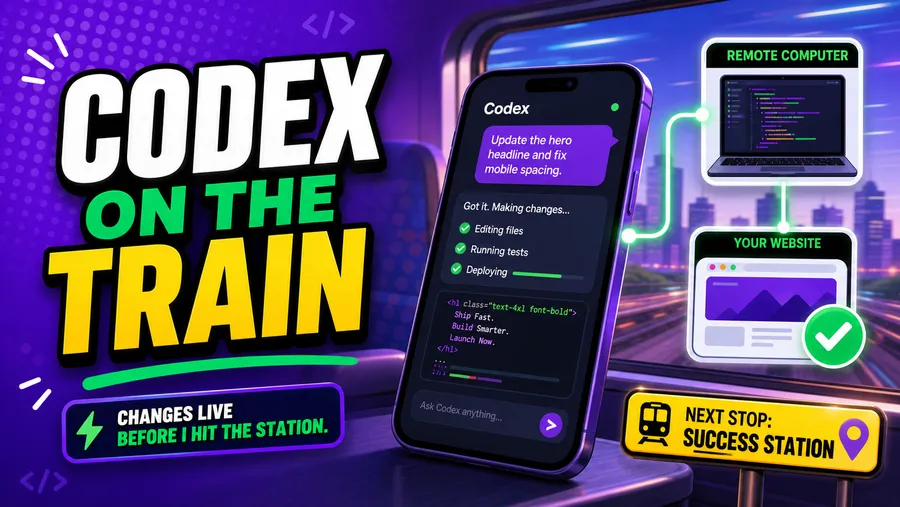
I made changes to this website while riding the train into work.
And I do mean riding the train.
I did not even get a seat. I was standing there with my phone in one hand, while the other was holding a handrail mere inches from a seated passenger’s face.
I decided this was the perfect time to test Codex remote connections from my phone. I told Codex what I wanted changed, checked in on the work, gave it a couple of nudges, and the update was live before I lost signal at Union Station.
What changed?
OpenAI added remote connections for Codex.
That means Codex still runs on your computer, where your website or app project already lives, while your phone connects through ChatGPT. You can send instructions, answer questions, approve steps, and check the work without sitting in front of your machine (coders call their computers ‘machines’).
Your phone is the remote. Your computer is the work horse.
I love this because nobody wants to turn their phone into a tiny programmer console (my vision is already deteriorating).
Why this matters for vibe coding
When you build with AI, projects can get stuck or just take a long time to complete.
Codex asks a question. It needs a yes before running something. It finishes a first pass and waits for you to review it. Or it does exactly what you asked, which is when you realize your first instruction was not as clear as it sounded in your head.
Normally, those little pauses mean the project sits there until you get back to your computer. With remote connections, you can keep the conversation moving from your phone.
That might mean approving a safe next step while waiting for coffee. It might mean asking Codex to simplify a section of copy. It might mean checking whether a small update worked while your laptop stays in your bag.
For creators, freelancers, side-project people, and the like, those scraps of time add up.
Riding the Codex Hype Train on an Actual Train
My test was this site.
I did not have a nice little table setup. I did not have a quiet corner. I did not even have a seat.
I was standing on the train getting jostled around like every other commuter that didn’t get a seat (a few people could’ve moved their bags if they were considerate).
My computer/machine was on at home (don’t love that, but that’s another post), so Codex could use the same files and tools I use at my desk. I did not have to recreate the project on my phone. I was not installing packages or squinting at code like a dork.
The whole loop was simple (and VERY cool). I gave Codex the change, checked what it came back with, asked for a tweak, and approved the next step. My computer handled the actual website work (it was fully seated at home) while I tried to remain upright.
By the time I got to the station, the update was live.
That felt… Ah-mah-zing (as if I had a seat). My website was no longer trapped inside the hours when I was physically sitting at my desk.
How to test and use remote Codex connections?
Remote Codex is useful when the work is small enough to explain clearly and easy enough to check from a phone.
I would use it for things like, drafting a blog post, changing button copy, asking why a page is broken, or checking whether the site still builds.
I would slow down for payments, logins, database changes, private user data, big redesigns, or anything where you should probably be seated next to your machine.
For everyday website work, though, it’s the way to really fly. Is that slogan taken? I really like it.
Remote setup notes before you try it
The setup starts on the computer where Codex is already running. You turn on mobile access in the Codex app, scan a QR code with your phone, and finish connecting it in ChatGPT.
Before you depend on it, check the boring stuff: Codex is installed and signed in, the computer is awake and online, your ChatGPT mobile app is updated, both devices use the same account and workspace, and the project already works on that computer.
Also check your approval settings. If you are new to this, keep Codex on a short leash until you know what the buttons do.
If your computer goes to sleep or loses internet, the phone connection can’t do much. The phone is the remote. The computer is still the engine.
A good first prompt
If you want to try this without getting yourself into a mess, start with something boring and safe:
Please make a small copy-only update to the homepage.
Before editing, tell me what you plan to change.
After editing, summarize exactly what changed and run the normal build/check command.
Do not commit or deploy anything unless I explicitly ask.
That prompt keeps the job tiny, makes Codex explain the plan, and separates “make the change” from “ship the change.” You can get looser later.
Why I love this for vibe coders?
You can stay connected to your project without dragging your whole setup around.
I still do not want to code from a phone. I want to keep a real project moving when I am away from my desk.
A commute, a check out line, the ‘Birthday Song’ when you don’t really know the person: these moments can now be enough to move a vibe coded project forward.
You are probably not going to finish a whole startup between two stops.
But one useful change, one quick check, one answer to Codex, one small push forward?
Be the little engine that DID.