
· Updated · Matt Ballek · 13 min read
The Real Monthly Cost of Vibe Coding in 2026
Vibe coding can cost nothing, $20 a month, or quietly become a $200 habit. Here is what AI subscriptions, APIs, hosting, databases, and the rest actually add up to.
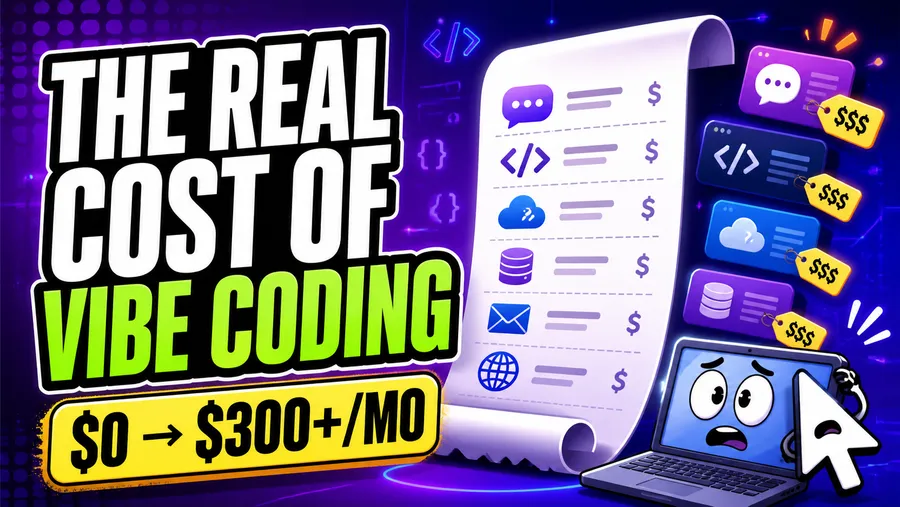
My first vibe coding bill was easy to understand.
I paid for one AI subscription.
Then I built something I wanted other people to use.
Suddenly I had a domain, hosting, a database, an email tool, and several dashboards displaying the phrase “usage-based pricing” with the calm confidence of a waiter offering sparkling water.
This is the sneaky part of vibe coding in 2026. The AI gets all the attention, but the model is only one line on the receipt.
Here is the short answer:
- You can experiment for $0 a month. Free AI tools and free infrastructure tiers are good enough to learn and make small prototypes.
- A practical solo setup is usually a $20 to $75 monthly budget. That gets you one serious AI subscription and enough infrastructure to put a modest project online.
- Heavy users can spend $100 to $300 or more. Bigger AI plans, multiple subscriptions, agent credits, production infrastructure, and API usage pile up quickly.
Those are budget bands, not survey averages. I could not find a reliable 2026 census of vibe coders and their subscriptions. My hunch is similar to yours: many regular builders probably pay OpenAI, Anthropic, or Google. The interesting clue is that the mainstream individual plans all cluster around $20 a month.
That does not prove most vibe coders subscribe. It does show where the industry expects a serious individual user to begin.
Prices below are U.S. list prices checked on August 4, 2026. Taxes, regional pricing, annual discounts, promotions, and usage limits can change the total.
The $20 AI subscription has become the default starting line
The three big providers have remarkably similar entry prices:
| AI option | Practical starting price | What a vibe coder is really buying |
|---|---|---|
| ChatGPT Plus | $20/month | ChatGPT plus access to OpenAI Codex, with plan limits |
| Claude Pro | $20/month, or $17/month billed annually | Claude plus Claude Code, with plan limits |
| Google AI Pro | $19.99/month | Higher Gemini limits and access across Google’s AI products |
| Google AI Studio | $0 to start | A browser-based place to test Gemini models; paid API usage is separate |
For a lot of people, one of those subscriptions is the whole AI budget.
That is a sensible way to start. Pick one primary tool, use it long enough to learn its quirks, and only add another subscription when it solves a problem you can actually name.
Paying for ChatGPT, Claude, and Google at the same time because somebody posted an exciting benchmark is not a stack. It is three recurring charges wearing a trench coat.
The expensive individual plans are there when $20 stops providing enough room. Claude Max starts at $100 per month. OpenAI currently offers $100 and $200 ChatGPT Pro tiers with more Codex usage. Google also introduced a $100-per-month AI Ultra option for heavier users.
You do not need one of those plans to learn. You may need one when long coding sessions repeatedly hit limits and the extra capacity is worth more than the time you lose waiting.
A subscription is not the same as API credit
This distinction causes a surprising amount of billing confusion.
Your ChatGPT Plus payment does not become $20 of OpenAI API credit. OpenAI says API usage is billed separately. The same basic separation exists between consumer AI plans and the APIs used inside apps.
Think of it this way:
- A subscription pays for you to use a product such as ChatGPT, Claude, or Gemini.
- An API bill pays for your app or coding tool to send requests to a model.
- An agent may include some usage with your subscription and then sell extra credits after you reach its limits.
Once you create an API key, assume you have opened a new meter. Set a budget alert before you paste that key into anything. Also keep it out of the browser, screenshots, and public repositories unless you would like a stranger to perform a small financial experiment on your behalf.
OpenAI’s own Codex guidance says costs vary widely with the model, task size, fast mode, automations, and parallel work. The company estimates roughly $100 to $200 per developer per month for average Codex usage across its broader customer base. That is useful context, but it is not a minimum and it is not a prediction of what a beginner will spend.
Small edits on an included plan and several agents chewing through a large repository all day are technically the same activity in the way that walking to the mailbox and hiking the Appalachian Trail are both “going outside.”
The size of your plan is only half the story. Long conversations, oversized context, premium models, and open-ended agents can make the same allowance disappear much faster. My guide to the seven ways vibe coders burn through AI credits explains those usage leaks and how to stop them.
Google AI Studio is the best kind of free: useful free
I have used Google AI Studio in a pinch, and it deserves a real place in this conversation.
AI Studio lets you test Gemini models in the browser without immediately taking on another monthly subscription. Google says new accounts begin on a free Gemini API tier, and AI Studio use remains free unless you connect a paid API key for paid features.
That makes it excellent for:
- trying a prompt with a different model when your main tool is stuck
- testing large inputs or multimodal ideas
- getting sample API code before wiring Gemini into an app
- deciding whether Gemini is useful enough to earn a spot in your paid stack
The free tier still has rate limits, and Google says data on the free API tier may be used to improve its products. Paid API usage raises limits and changes that data treatment. Read the current terms before using private client data or anything else you would not want helping train somebody else’s computer/machine.
AI Studio is a good pressure-release valve. It is not a reason to subscribe to every Google plan with the word “Ultra” in it.
What about DeepSeek, Qwen, Kimi, and other Chinese models?
Yes, Chinese AI models belong in the 2026 cost conversation.
DeepSeek, Alibaba’s Qwen family, Moonshot AI’s Kimi, Zhipu’s GLM, and MiniMax models increasingly appear in coding tools and model routers. Some are open-weight. Many are available through pay-as-you-go APIs. Several coding plans now let you use more than one of these model families behind a single account.
The appeal is straightforward: strong models, aggressive pricing, and more competition. Alibaba’s international Model Studio, for example, lists Qwen API calls as pay-as-you-go and offers coding plans. DeepSeek also publishes official API pricing and supports familiar OpenAI- and Anthropic-style interfaces.
For a curious builder, that can make experimentation cost cents or a few dollars instead of another $20 subscription.
But “Chinese models” is not one product or one privacy policy. Before using one, check:
- where your requests are processed and stored
- whether prompts or outputs may be used for training
- which region your account and endpoint use
- whether your coding agent supports that provider directly
- whether tool calling, images, long context, and structured output work the way your project needs
- whether the model and endpoint are stable enough for production
Price per million tokens is only one number. A cheaper model that needs three corrections, drops a tool call, or sends you on a two-hour bug safari may be the expensive option.
I would absolutely test these models on a contained task. I would not begin by handing an unfamiliar service my full private codebase, production secrets, and customer data. We have only just met.
The AI is only half the bill once you ship
A local prototype can live almost entirely on free plans. A public app needs an address and somewhere to sleep.
Here are the other common cost buckets:
| Cost | Beginner range | When it appears |
|---|---|---|
| Domain | About $1–$3/month when annual cost is averaged | You want a real web address |
| Hosting | $0–$20/month to start | You deploy a site or app |
| Database and authentication | $0–$25/month to start | Users save data or log in |
| Email capture and sending | $0–$39/month to start | You collect emails or send sequences |
| Model APIs | $0–$50+ | Your app itself uses AI, or your agent exceeds included usage |
| Payments | Usually transaction fees | You charge customers |
| Monitoring, analytics, storage, and extras | $0–$30+ | The project becomes real enough to misbehave |
Do not automatically add the top of every row. One platform may cover several jobs, and free tiers can carry a small project surprisingly far.
Supabase, for example, combines a Postgres database, authentication, storage, and backend features. Its free plan is enough for small experiments, while Pro starts at $25 per month. Neon offers a free Postgres tier and usage-based paid service with a typical small Launch workload listed around $15 per month.
If you are choosing a backend, use the full database guide instead of comparing one price in isolation. If users need accounts, look at the authentication guide too. Paying separately for five services can make sense, but it should be a choice and not an archaeological discovery at the bottom of your credit card statement.
Email has the same pattern. Kit has a free newsletter plan for up to 10,000 subscribers, while its paid Creator plan starts at $39 per month. MailerLite is another option in the email capture guide. Start with the workflow you need today. Your list of 14 people, several of whom share your last name, does not require an enterprise marketing stack.
Four realistic vibe coding budgets
The cleanest way to plan is by stage, not by collecting logos.
1. The curious beginner: $0 per month
Use a free chat plan or Google AI Studio, keep the project local, and publish only when you have something worth sharing.
This is enough to learn prompting, make a small website, understand files, and discover whether you enjoy the process. Start with a contained idea from my guide to choosing a first vibe coding project.
Example monthly total:
- AI: $0
- Hosting and backend: $0
- Domain: $0; use a free preview URL
- Total: $0
2. The regular builder: about $20–$25 per month
Choose one $20 AI subscription. Use free hosting and backend tiers. Buy a domain only when the project deserves one.
This is where I would expect many hobbyists and side-project builders to land, although we do not have a trustworthy survey proving it.
Example monthly total:
- ChatGPT Plus, Claude Pro, or Google AI Pro: about $20
- Free hosting and database tiers: $0
- Domain averaged monthly: about $1–$3
- Total: about $21–$23
3. The person shipping a real app: about $45–$100 per month
Keep the $20 AI plan. Add paid infrastructure only where the free tier creates an actual reliability, capacity, or support problem.
Example monthly total:
- AI subscription: $20
- Hosting: $0–$20
- Backend: $0–$25
- Domain: $1–$3
- Email, monitoring, or small API usage: $0–$30
- Total: about $21–$98
The low end is not fake. A useful app can run on generous free tiers. The high end is also not alarming if the project has customers or saves you meaningful time.
4. The AI power user: $125–$300+ per month
This person runs long agent sessions, uses premium models, buys extra credits, or keeps a second provider as a backup. Production services may also have moved beyond free allowances.
Example monthly total:
- Higher AI plan: $100–$200
- Second model or API usage: $0–$50+
- Hosting, database, and other services: $25–$75+
- Total: $125–$325+
At this level, cost should connect to output. If a $100 plan helps you finish paid work or ship faster, fine. If it mostly lets you switch models with greater emotional intensity, return to the $20 plan.
How to keep your vibe coding costs under control
Pick one primary AI
OpenAI, Anthropic, and Google are all capable enough to be a starting point. Choose based on your preferred workflow, not one benchmark screenshot.
If you work directly in an existing codebase, compare OpenAI Codex and Claude Code. Your project instructions may matter more than constantly changing models, which is the argument behind why your AGENTS.md may matter more than your model.
Make free tools earn an upgrade
Free tiers are not embarrassing. They are how you learn which constraint is real.
Upgrade when you can finish this sentence: “I am paying because the free plan prevents me from __.”
“Feeling professional” does not count.
Set spend caps and alerts
Turn on billing alerts anywhere you create an API key. Keep provider limits in place until real usage proves you need more. Check whether a service has a hard cap or merely emails you while continuing to charge.
Also review pricing based on monthly active users, bandwidth, storage, and model tokens. Your app can be cheap at launch and expensive after a traffic spike, which is a wonderful problem right until the invoice arrives.
Cancel experiments
Once a month, look at every AI and developer charge. If you cannot remember why you subscribed, the experiment has concluded.
Keeping a backup model can be worthwhile. Keeping three backup models, two app builders, and a database you abandoned during a long weekend is technical debt with a rewards card.
Count your time too
The cheapest model is not always the least expensive workflow.
Track how often you correct it, restart tasks, recover broken code, or wait through limits. A tool that costs $20 more but saves three hours may be the obvious bargain. A premium tool that produces prettier mistakes is still producing mistakes.
So, do most vibe coders pay for AI?
Probably many regular vibe coders do. I would not claim “most” without better data.
The $20 plans from OpenAI, Anthropic, and Google have clearly become the mainstream paid tier. They are easy to justify for somebody building every week, especially because they also help with writing, research, images, and everyday work.
But there is a large invisible group using free ChatGPT, free Gemini, Google AI Studio, free app builders, local or open-weight models, school or workplace accounts, and occasional API credit. They count too.
The better question is not whether a real vibe coder pays for AI.
It is whether the tool helps you finish things.
The bottom line
Vibe coding does not have to be expensive in 2026.
You can learn for free. You can build regularly with one $20 subscription. You can put a small product online for roughly $20 to $75 a month if you use free infrastructure intelligently. You can also spend several hundred dollars without trying very hard.
My recommendation is boring, which is usually a good sign:
- Start free.
- Pick one primary $20 AI plan when limits begin slowing you down.
- Pay for infrastructure only when you are ready to deploy or a free tier has become a real constraint.
- Test cheaper or alternative models, including DeepSeek, Qwen, and Kimi, on contained work before trusting them with the whole project.
- Review the bill every month.
The goal is not to assemble the most impressive collection of subscriptions.
The goal is to finish the thing.
Frequently asked questions
How much does vibe coding cost per month in 2026?
It can cost $0 for learning and local prototypes. A regular solo builder can often stay around $20 to $75 per month. Heavy AI users and production apps can reach $100 to $300 or more.
Do I need ChatGPT Plus, Claude Pro, and Google AI Pro?
No. Start with one primary subscription. Use free tiers or short tests to compare the others, then add a second paid tool only if it solves a recurring problem.
Is Google AI Studio free?
Google AI Studio is free to use for supported models and limits. If you connect a paid Gemini API key for paid features, that usage is billed to the linked project.
Are Chinese AI models cheaper for coding?
They can be. Providers such as DeepSeek and Alibaba offer aggressively priced pay-as-you-go APIs, and some models are open-weight. Compare output quality, tool support, privacy terms, hosting region, and the number of retries—not just the token price.
Does my AI subscription include API usage for my app?
Usually not. Consumer subscriptions and API usage are normally separate products with separate billing. Check the provider’s current terms before assuming your monthly plan includes app traffic.
What should I pay for first?
Pay for the bottleneck. For many regular builders, that is one $20 AI subscription. A domain, paid hosting, database, email plan, or higher AI tier should come later when the project or your usage actually needs it.