· Updated · Matt Ballek · 11 min read
Why Your AGENTS.md May Matter More Than Your Model
A more powerful AI model can help, but clear project instructions may improve your coding results more than another trip through the model picker.
You ask an AI coding agent to make a small change to your app.
It edits the wrong file, ignores the component pattern you already use, and declares victory without running the production build. So you switch to a more powerful model.
The new model makes the same mistakes with slightly better sentence structure.
That may not be a model problem. It may be a context problem.
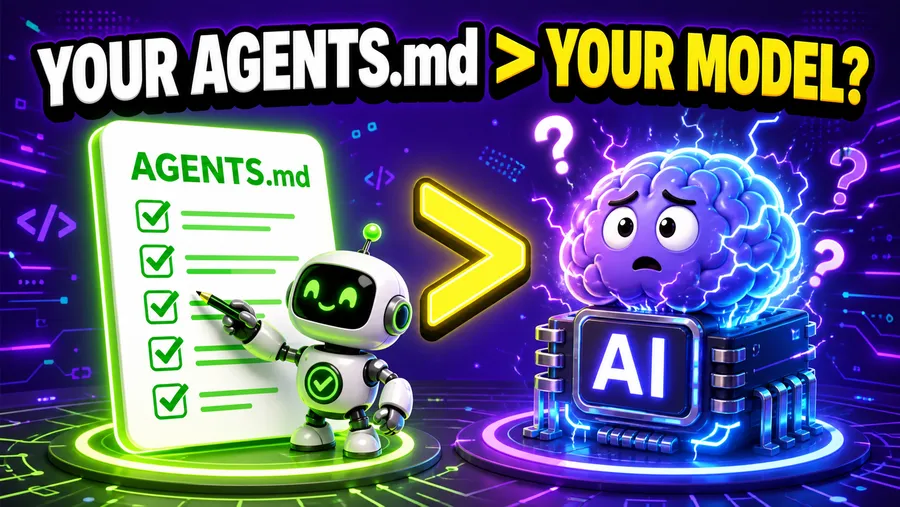
A stronger model brings more general intelligence to your project. Your AGENTS.md file tells that intelligence how your project actually works: where things live, which commands to run, what patterns to follow, and how to know when the job is finished.
For many everyday coding tasks, improving those instructions can produce a bigger practical upgrade than selecting a more expensive model.
The model gives your agent horsepower. AGENTS.md helps keep it out of the neighbor’s yard.
The quick answer
An AGENTS.md file is a set of durable instructions for AI coding agents working in your project.
You can use it to explain:
- how the project is organized
- where important files live
- which commands to run
- which conventions to follow
- what not to change
- what “done” means
OpenAI’s Codex documentation says Codex reads these files before doing any work. The broader AGENTS.md project describes the format as a README for agents, and it is supported by a growing list of coding tools.
My argument is not that models are unimportant. A stronger model can reason through more difficult work, recover from confusing code, and make better decisions when the answer is not obvious.
But many everyday AI coding failures are not raw intelligence failures.
They are context failures.
The agent did not know which package manager you use. It did not know that one folder is generated. It did not know your preferred component pattern. It did not know that “fix the homepage” also means checking mobile spacing and running the production build.
Buying it a larger brain does not automatically teach it your house rules.
What is AGENTS.md?
AGENTS.md is a normal Markdown file you add to your project, usually at the repository root.
It gives an AI coding agent a predictable place to find project-specific guidance. Unlike a one-time chat prompt, those instructions stay with the repository and can help future tasks too.
That makes it useful for the facts you are tired of repeating:
# AGENTS.md

## Project overview

This is an Astro website. Blog posts live in `src/data/post`.

## Commands

- Run the site locally: `npm run dev`
- Build the production site: `npm run build`

## Content rules

- Write for beginners.
- Use short paragraphs and plain English.
- Link technical terms to the glossary when one exists.

## Definition of done

- The production build passes.
- New pages include a title, description, publish date, and hero image.
There is no special programming language hiding in there. It is Markdown. You are writing down the instructions you would otherwise explain to a new teammate while pointing at folders on your screen.
If Markdown itself is new to you, my copy-paste Markdown formatting guide covers the headings, lists, links, and code blocks you need to make a useful instruction file.
Codex can also combine instructions from more than one level. A root file can set rules for the whole project, while a nested AGENTS.md can add guidance for one app or package. OpenAI’s docs say files closer to the working directory take precedence when guidance conflicts.
That is especially useful in a monorepo, which is a fancy term for “this folder has several projects in it, and they all have opinions.”
Why it can matter more than the model
It removes expensive guessing
An agent can inspect your repository and infer a lot. That does not mean inference is the best use of its time.
Without instructions, it may need to search for the build command, compare similar components, inspect configuration files, and guess which pattern is current. Sometimes it guesses correctly. Sometimes it confidently finds the abandoned version from eight months ago.
A useful AGENTS.md points at the paved road.
That leaves more of the model’s attention for the actual task instead of a scavenger hunt through package.json, three READMEs, and a folder called old-final-v2.
That scavenger hunt can also consume real usage. If your coding plan keeps disappearing faster than expected, the biggest credit and token drains often begin with repeated context, wrong turns, and corrections that durable project instructions could have prevented.
It turns taste into instructions
Code can be technically valid and still feel completely wrong for the project.
A model does not automatically know that your product should feel playful instead of corporate, that you prefer small reusable components, or that a tool review should discuss tradeoffs before the affiliate button starts doing jazz hands.
Those are not syntax rules. They are product judgment.
An AGENTS.md file lets you make that judgment reusable. You can point to a strong example, name the patterns you prefer, and call out the habits you want avoided.
That is how an agent can follow your product’s actual voice instead of whatever “thought leadership” voice was wandering around the model that morning.
It makes verification repeatable
“Looks good” is not a test plan.
One of the most valuable things you can put in AGENTS.md is the exact set of checks the agent should run after making a change.
OpenAI has described AGENTS.md as the place to tell Codex how to navigate a codebase, which test commands to run, and which project practices to follow. That is much more useful than hoping every future prompt remembers to say, “Also, please make sure you did not break everything.”
For one project, done may mean:
- run unit tests
- run the production build
- check formatting
- verify the mobile layout
For another, it may mean updating a database schema and confirming generated types still match.
Write the checks down once. Let every task inherit them.
It survives the next chat
Chat instructions are great for the work happening right now.
They are not a reliable home for permanent project knowledge. New tasks begin. Threads get long. You switch tools. Somebody else opens the repository. Future-you remembers the rule but not where you originally typed it.
An AGENTS.md file lives with the code. It can be reviewed, updated, and committed like the rest of the project. If “committed” still sounds suspiciously serious, my beginner’s guide to GitHub explains that workflow without requiring wizard-level terminal knowledge.
Your clever prompt from last Tuesday cannot do that. It is gone now. We had a nice time together.
The model still matters
I do not want to turn this into “all models are the same if your Markdown is powerful enough.” They are not.
Model capability matters more when the task involves:
- difficult debugging with several possible causes
- architecture decisions across a large codebase
- unfamiliar or poorly documented technology
- security-sensitive changes
- long chains of dependent work
- ambiguous requirements that require good judgment
A detailed instruction file cannot make a smaller model understand something beyond its capabilities. It also cannot fix a broken development environment or replace tests that do not exist.
Different model tiers still make meaningful tradeoffs between capability, speed, and cost. My plain-English guide to OpenAI’s Sol, Terra, and Luna models is one example of how to choose the right amount of model for the job.
The better mental model is:
The model supplies general capability. AGENTS.md supplies local competence.
You want both.
If you keep switching to a more powerful model and getting the same annoying mistakes, though, stop staring at the model picker. The missing upgrade may be sitting in your repository.
What should you put in AGENTS.md?
Start with the information an experienced contributor would need before changing your project.
1. A short project map
Explain what the project is and point to the important directories.
Do not describe every folder. Call out the ones that answer common questions:
- Where does app code live?
- Where does content live?
- Where are tests?
- Which files are generated?
- Is there more than one app in the repository?
2. The real commands
List the exact setup, development, test, lint, and build commands that actually work.
If a command must run from a particular directory, say so. If npm test is a trap and everybody uses something else, this is your chance to prevent the robot from stepping on the rake.
3. Non-obvious rules
Write down constraints the code alone may not reveal:
- Keep public content in Markdown, not the local database.
- Do not add a dependency without approval.
- Preserve backward compatibility for this API.
- Never edit generated files directly.
- Use the existing design system before creating a new component.
The best instructions prevent plausible mistakes, not imaginary ones.
4. Examples worth copying
Point the agent to one or two files that show the desired pattern.
“Match the style of src/components/Card.astro” is more actionable than “write clean code.”
For this site, the AGENTS file points to my Codex train post as the voice reference. That gives the agent a concrete example of the sentence length, humor, pacing, and useful-first structure I want.
5. A definition of done
Tell the agent how to verify its work and what the handoff should include.
This might cover tests, builds, screenshots, accessibility checks, schema compatibility, or a summary of changed files.
If you care about it every time, make it durable.
What should you leave out?
Do not turn AGENTS.md into the junk drawer of your repository.
Avoid:
- secrets, passwords, tokens, or private credentials
- stale setup steps nobody has verified
- vague wishes like “make everything awesome”
- giant copies of documentation that already has a clear home
- dozens of formatting rules your formatter can enforce automatically
- instructions that conflict without explaining which one wins
OpenAI’s current Codex docs set a default 32 KiB limit for the combined project instructions Codex loads. Even without that limit, a shorter file is easier for humans to maintain and agents to follow.
Use AGENTS.md as a map and a set of working agreements. Link to deeper documentation when the details belong somewhere else.
Also remember that instructions are not enforcement. Use permissions, automated tests, CI, code review, and backups for the things that truly cannot be left to interpretation.
A starter AGENTS.md for vibe coders
You do not need a massive instruction manual on day one. Please do not spend your whole evening documenting a project that currently has one button.
Start here:
# AGENTS.md

## Project

This is a [framework] app for [who it helps and what it does].

## Important paths

- App code: `src/`
- Reusable components: `src/components/`
- Tests: `tests/`
- Project documentation: `docs/`

## Working rules

- Reuse existing components before adding new ones.
- Keep changes focused on the requested task.
- Ask before adding production dependencies.
- Do not edit generated files or commit secrets.

## Commands

- Install: `npm install`
- Develop: `npm run dev`
- Test: `npm test`
- Build: `npm run build`

## Definition of done

- Relevant tests pass.
- The production build passes.
- New behavior is documented when needed.
- Summarize what changed and note anything not verified.
Replace the placeholders. Delete sections that do not apply. Add rules after you observe real mistakes.
Your best AGENTS.md will not appear fully formed in a beam of purple light. It will grow as you notice repeated corrections:
- “It keeps using the wrong command.” Add the right one.
- “It edits the generated file.” Mark that folder as off-limits.
- “The copy sounds like a bank.” Link to a better example.
- “It says the task is done without building.” Define done.
Every recurring correction is a candidate for a durable instruction.
How to test whether it is helping
Use a real, repeatable task from your project.
Run it once with your normal setup. Then add a focused AGENTS.md and run a comparable task with the same model.
Compare:
- how many corrections you had to give
- whether it chose the right files and patterns
- whether it ran the correct checks
- whether the first result matched the product
- how much time you spent supervising
Do not judge the file by how impressive it sounds. Judge it by how much repeated steering it removes.
If the agent still struggles after you provide clear context, working tools, and reliable checks, then a stronger model may be the correct next move.
Now you are upgrading for a reason instead of clicking the largest model name and hoping it can sense the vibes.
The bottom line
The model is the engine. AGENTS.md is the map, the driving rules, and the note that says the bridge ahead is closed.
A more powerful engine is useful. It is not a substitute for knowing where the project is supposed to go.
Before you pay more, wait longer, or send the task to the biggest model available, improve the context every model receives. Explain the project. Point to the good examples. Write down the checks. Turn your repeated corrections into reusable instructions.
If you are deciding whether a more expensive model is actually worth it, my guide to the real monthly cost of vibe coding compares subscriptions, APIs, and the costs that appear after you ship.
The smartest model in the world is still new to your codebase.
Your AGENTS.md is how you stop making it start from zero.